The Kanban method helps teams make work visible, prevent overload and deliver predictably. You don’t need to overhaul your organisation: you start with how you work now. Trello is a simple tool to do this digitally. This article shows how to set up the core of Kanban in Trello.
Kanban in brief
Kanban comes from Toyota’s just-in-time production, where a card signalled that new material was needed. In knowledge work and services it is a board with columns for the steps of the work, and cards for the tasks. The simplest form has three columns: to do, doing and done.
What Kanban delivers:
- Overview: everyone sees at a glance how work moves through the process.
- Less overload: by limiting work in progress, nobody gets tangled up in ten things at once.
- Bottlenecks become visible: where cards pile up, there is a bottleneck.
- Predictability: a stable flow of work makes it easier to estimate when something will be done.
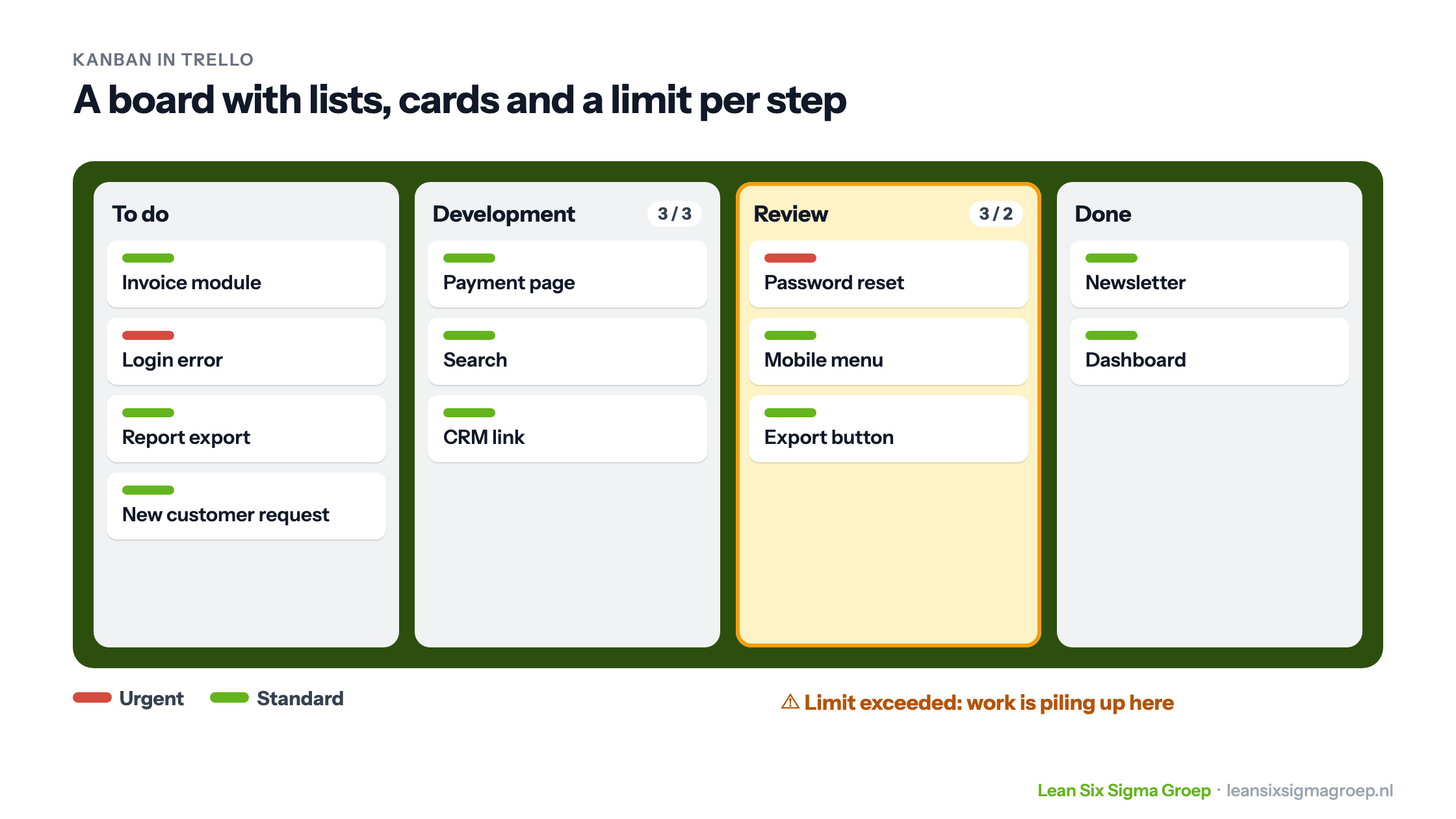
The image at the top of this article shows what such a board can look like in Trello.
Setting up Kanban in Trello: four steps
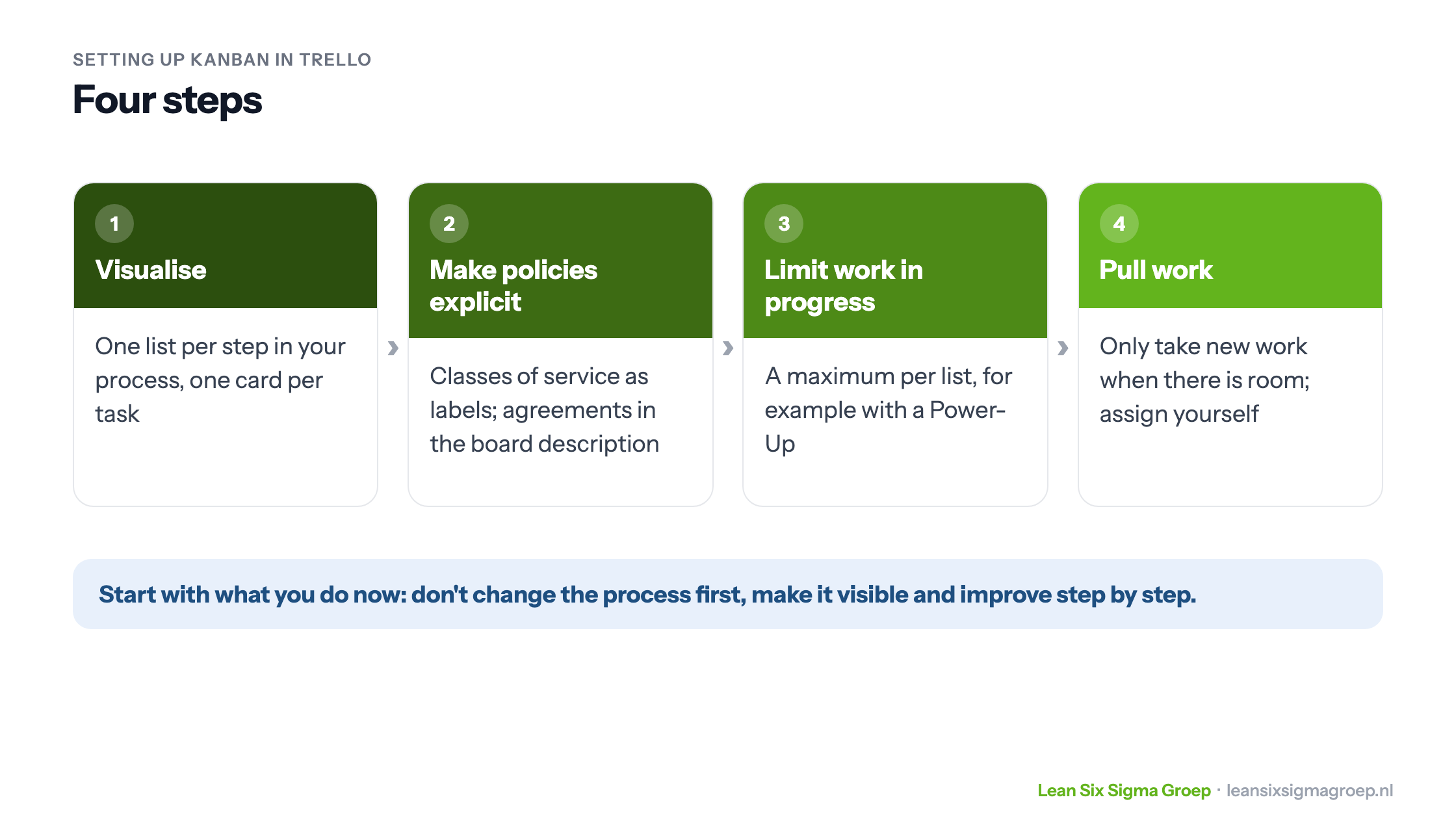
The four steps are listed below. We then explain them.
This is one of the tools you learn to apply in the Green Belt training.
1. Visualise your workflow
Create a list on the Trello board for each step in your process. A development team might have the lists To do, Development, Review, Testing and Done; a customer service team has very different steps. Map your process as it really runs, not as it is on paper.
Each card is a task. Cards move from left to right across the board until they are done. Make sure that after reading a card everyone knows what the problem is, who it is being solved for and why.
2. Make policies explicit
Not all work is equally urgent. In Kanban, classes of service define how different types of work are handled. An outage at a customer, for example, takes priority over standard work. In Trello you use labels in different colours for this.
Write down the agreements, for example in the board description: when can a card move to the next list, what does “done” mean, who decides the order? That way nobody has to guess.
3. Limit work in progress
A board makes work visible, but that alone isn’t enough. If everyone keeps starting new work, it piles up and nothing gets finished. So you set a maximum per list: the WIP limit (work in progress). You don’t limit the to-do list at the start, because no work is happening there yet.
In Trello you set a maximum per list, depending on your version through the list settings or with a Power-Up. When it is exceeded, the list changes colour, like Review in the example at the top. That is the signal: finish something first, or help colleagues at that step, instead of starting something new. Little’s Law shows why: the more work in progress, the longer everything takes.
4. Pull work instead of pushing it
In many organisations work is pushed onto teams regardless of whether there is room. In Kanban, team members pull a new card from the To do list themselves, and only when there is room. At that moment they assign themselves to the card. Until then the order in To do can still change, so the team can respond flexibly to what matters most.
Board and meeting
A board works best when the team spends a few minutes at it every day, for example in a daily stand-up.
Trello is one of many tools; Microsoft Planner, Jira or a physical board with sticky notes work just as well. It is about the principles, not the tool. Want to learn more about Kanban and Agile working? Take a look at our Agile training courses.