A user story is a short description of a wish, from the user’s perspective: who wants something, what do they want and why? Agile teams use user stories to keep work small, understandable and valuable. The story is not a complete specification, but the start of a conversation.
What is a user story?
User stories come from Extreme Programming, an Agile way of working from the late 1990s. They are widely used in Scrum, but the Scrum Guide doesn’t prescribe them. A user story is a common way to describe an item on the Product Backlog. So it is not the same as a Product Backlog Item: a backlog can also contain other items, such as a technical improvement or a bug.
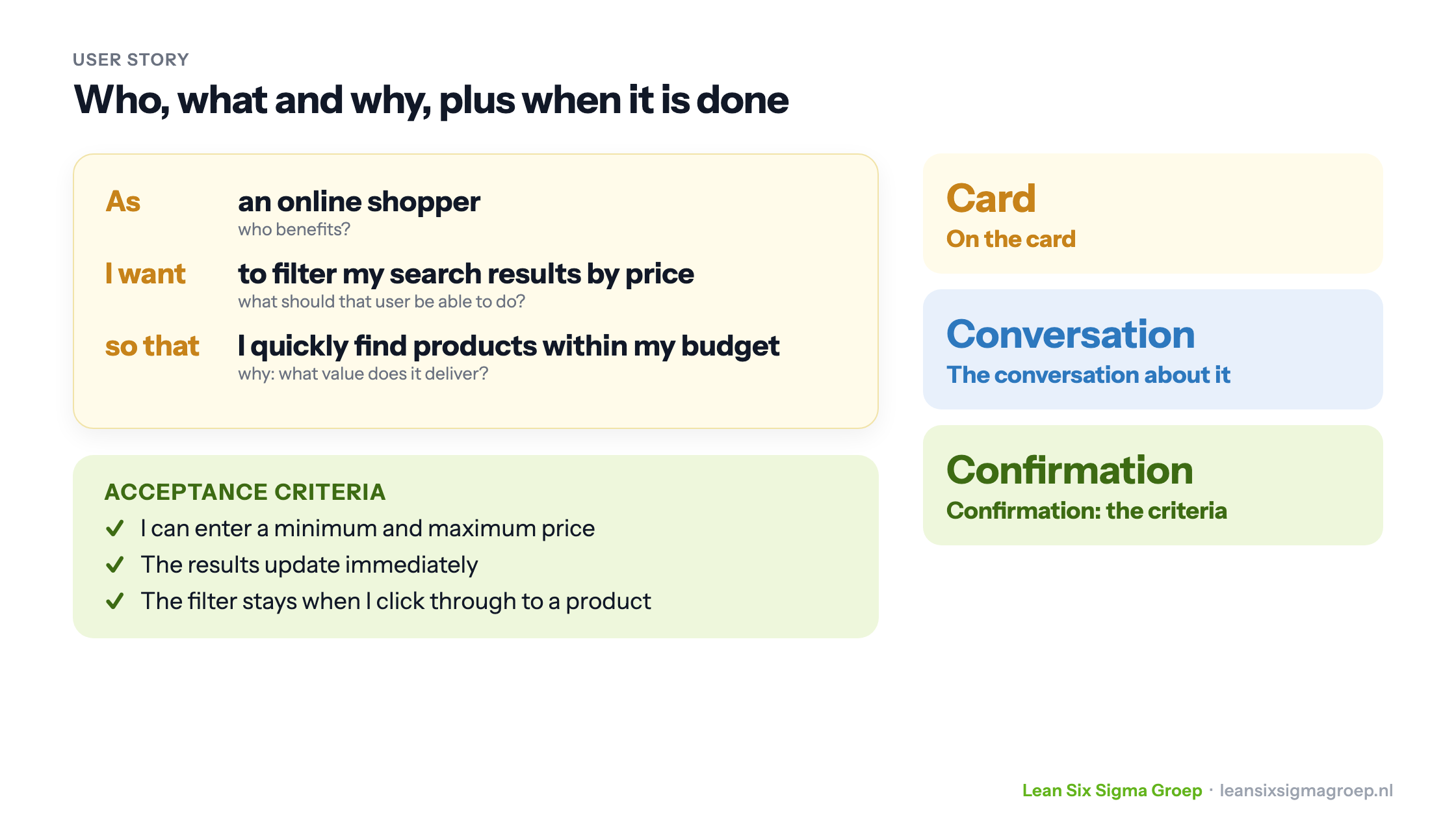
The best-known form dates from 2001 and is shown in the image at the top of this article:
- As [type of user]: who benefits?
- I want [to be able to do something]: what does that user want?
- so that [value]: why, what does it deliver?
The “so that” is often left out, but it is the most important part. It tells the team why the wish exists, so it can also propose a better solution than the one requested.
Examples
- As a new customer I want to be able to register, so that I can see my orders again.
- As an online shopper I want to filter my search results by price, so that I quickly find products within my budget.
- As a team leader I want an overview of lead time per week, so that I can see whether our improvements have an effect.
Card, Conversation, Confirmation
Ron Jeffries summed up the user story in three words in 2001:
- Card: the story fits on a card. It is deliberately short.
- Conversation: the details come from the conversation between the Product Owner, the team and the users, not from a thick document.
- Confirmation: acceptance criteria record when the story is done. For the filtering example: you can enter a minimum and maximum price, the results update immediately, and the filter stays when you click through.
When is a user story good?
In 2003 Bill Wake came up with the mnemonic INVEST: six characteristics of a good user story.
This is one of the tools you learn to apply in the Green Belt training.
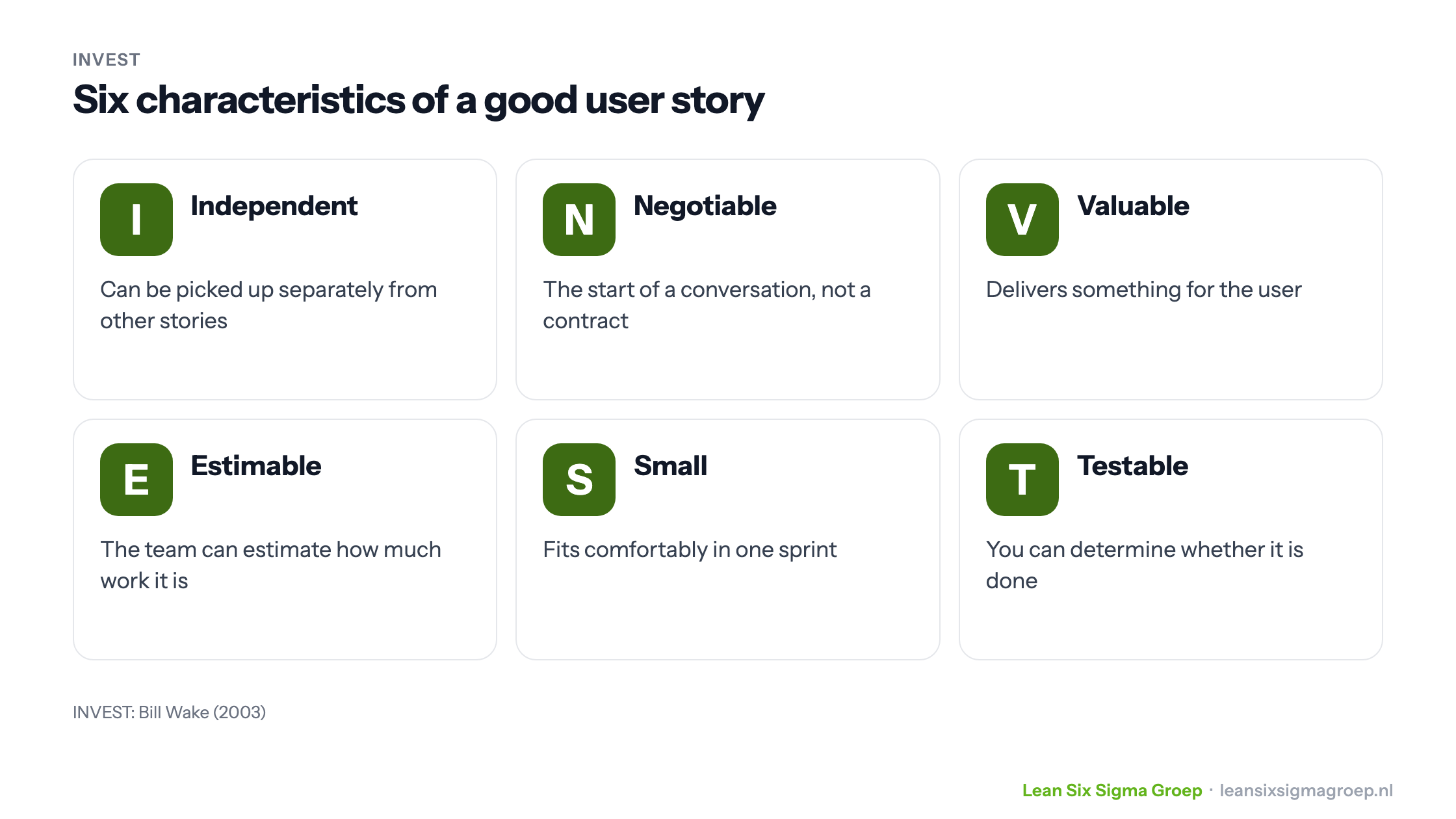
- Independent: can be picked up separately from other stories, so the order can be chosen freely.
- Negotiable: the start of a conversation, not a contract. The details are still open.
- Valuable: delivers something for the user or the organisation. “Modify the database” is not a user story.
- Estimable: the team can estimate how much work it is.
- Small: fits comfortably in one sprint. If a story is too big, split it, for example per type of user, per step in the process or into a simple and an extended version.
- Testable: you can determine whether it is done.
Who writes the user stories?
Anyone can write a user story: the Product Owner, the team or a stakeholder. The Product Owner is accountable for the Product Backlog and decides the order. The Developers decide how to implement a story. That keeps the conversation about what the user needs, rather than about how the team should do its work.
A good way to start is a user story workshop: everyone involved writes stories together. It often produces many stories, including duplicates or variations on a theme, and above all interesting conversations. That gives you a first Product Backlog and engaged stakeholders.
Finally
User stories are not mandatory, but they are very useful. They keep the user in view, make work small and open to discussion, and make it easier to judge whether the delivered work is right.
Want to learn more about user stories and the Product Backlog? Take a look at our training courses.